CivicBubble™
🍑FREE for GEORGIA Residents

Look up, keep up, speak up —
in your own little CivicBubble™.

Find your elected leaders, follow their updates, and reach out in seconds. CivicBubble™ takes you from disconnected to dialed-in with your representatives from City Hall to Congress.

Download CivicBubble™ and explore Georgia's districts, elections, and public officials in one organized place.

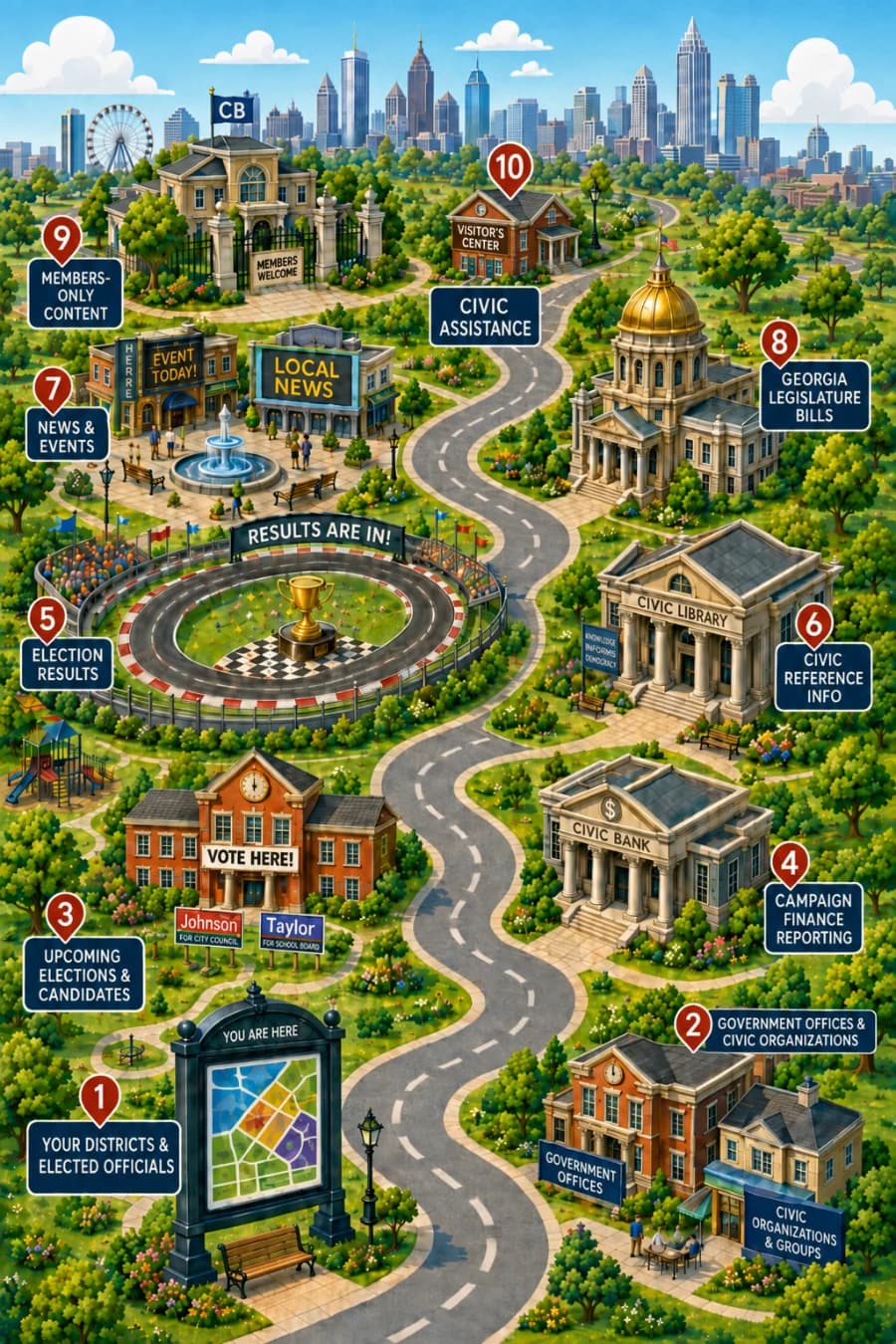
Your Civic World, In Your Pocket
Super-Local Districts & Elected Officials
Find and Follow Local Civic Interest Groups
Contact Offices Directly from App
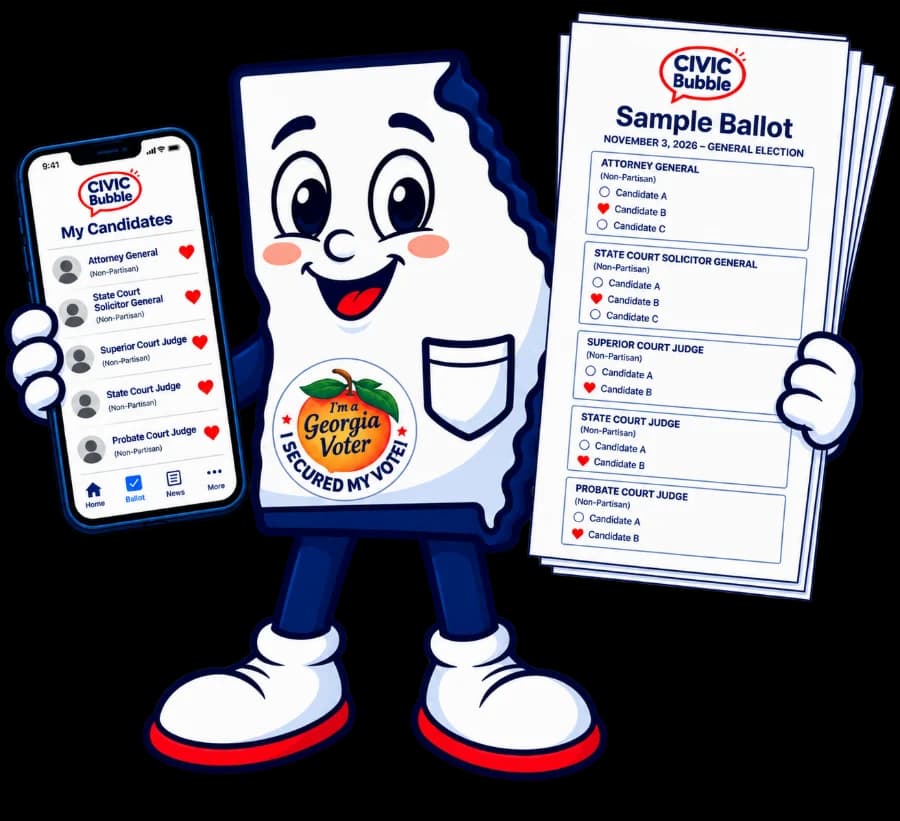
Compare Candidates & Plan Your Vote

Audio introduction to CivicBubble™ in a talk-show format.

Non-Partisan, Reliably Sourced for Georgia Voters

Districts, profiles, and election results are compiled from official Georgia state, county, and city government records and other credible nonpartisan public data sources.

Learn more about our data sources

How CivicBubble™ Works

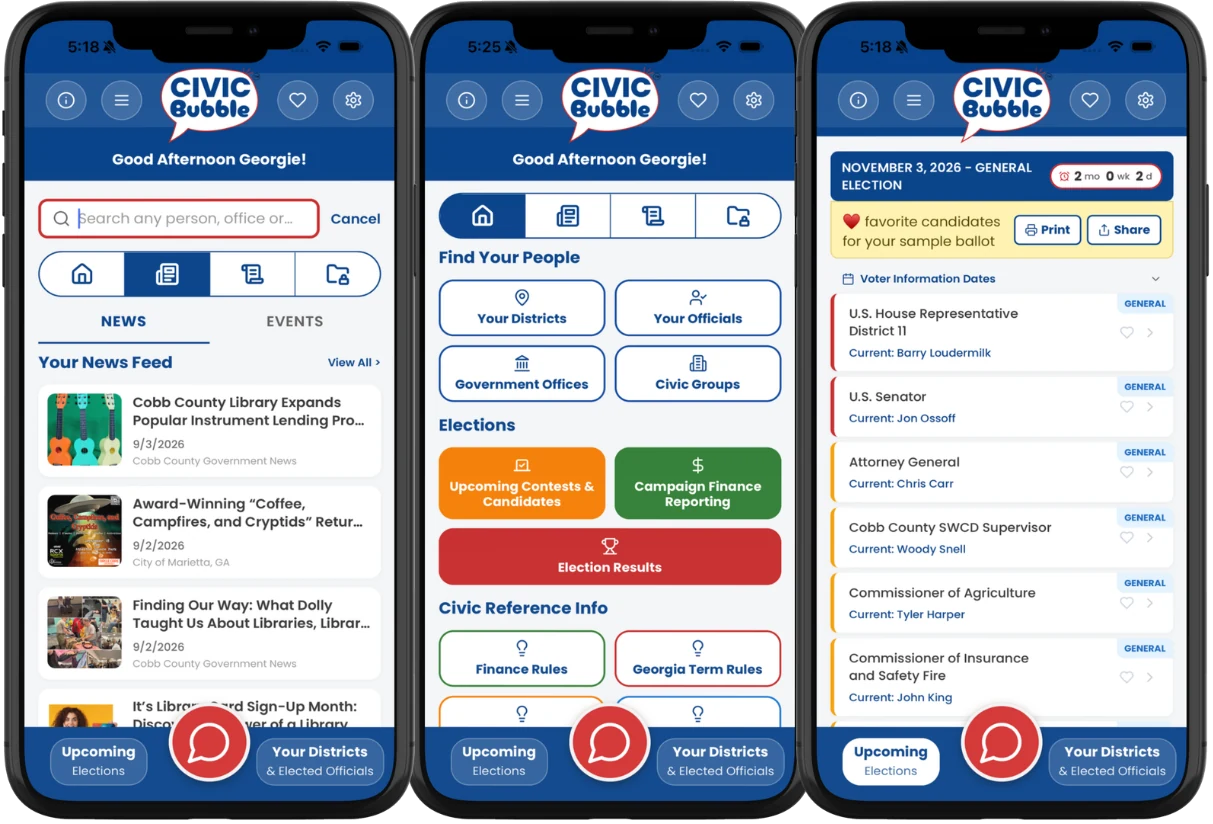
Simply create an account and enter your address. CivicBubble™ maps your districts from Congress to City Hall — plus the ones most people never hear about, like judicial, public service commission, water conservation, and more — then filters your feed to news, events and polls personalized to your districts.

Icon

Find Official Offices, People
& Civic-Minded Groups

Look up official offices, public officials, and civic-minded groups where you live. See who represents you and how to reach them.

Icon

Share Your Opinion
Productively

Speak up with quick polls and thoughtful comments on proposals in your districts so your voice reaches the people making decisions.

App Interface
Icon

View News & Events

Keep up with news and events in your ultra-local districts. See meetings and community updates filtered to your civic bubble—without the noise.

Icon

Prepare for Election Day

Look up, keep up, and speak up so you can show up ready. See who’s on your ballot and who currently holds each office—no more skipping elections because you don’t feel informed.

Look up, keep up, speak up—in your own little CivicBubble™.

Some Awesome Features

CivicBubble™ cuts through the noise by bringing voters, public officials, and civic groups into one clear app—helping voters stay informed and engaged in their civic bubble while making it easier for leaders and organizations to connect with the people they serve.

For Everyone

See All Your Districts and Representatives, from Congress to City Hall in One Place

CivicBubble™ finds every district tied to your Georgia address—from Congress to City Hall and everything in between. In seconds, you'll see federal, state, county, and city districts plus lesser-known ones like judicial, public service commission, school board, and soil & water conservation, all neatly organized on one screen.

Federal Districts
State Districts
County Districts
Municipal Districts
School Board Districts
Judicial Districts
Super Council Districts*
Fire & Water Districts*
And Others*

*Note - These specialty districts are provided when applicable. Not all locations will have these.

My Districts
District Details
My Elected Officials
Office Profile
Contact Info
For Everyone

Quickly find contact information and details on Official Offices, People and Groups

CivicBubble™ is your one-stop pocket reference for official Offices, Posts, Elected Officials and Civic Groups. Browse organized public profiles, with instant access to official websites and social media and other links when available. When an email address or phone number is referenced, you can start an email or place a call straight from your phone with a single tap.

  • State, County, Municipal Office Profiles and Related Posts/Elected Positions
  • Helpful information on meeting times and other resources when available.
  • People profiles for currently elected, previously elected, and candidates
  • Tap to email, call, or open map-view for address—no copy-and-paste required
For Everyone

KEEP UP with ultra-local news, updates and events.

CivicBubble™ turns scattered local information into a single, organized feed tailored to your districts. It can combine RSS feeds from official sources and trusted, non-partisan news outlets with updates shared directly by public officials and civic organizations that represent you.

A Favorites Watch List lets you star people, organizations, and groups so their news and updates surface instantly in your Following tab for quick access.

When available, the Home tab highlights upcoming events—city council and school board meetings, zoning hearings, community forums, and more—organized by your districts and easy to scan on your phone, so you always know what’s happening nearby without the drama or distraction.

Keep Up 1
Keep Up 2
Keep Up 3
My Favorites Watchlist
Favorites Watchlist
Candidate Profile
Election Details
Election Profile 1
Election Profile 2
Election Profile 3
For Everyone

On Election Day, Be Ready to Make an Informed Vote

Life is busy, and it can feel wrong to show up and vote when you don't really know who's on the ballot. Maybe you'll stick with party lines—but what about the primaries, down-ballot races, and lesser-known offices? CivicBubble™ is your handy assistant before and leading up to Election Day. See all the offices that will appear on your ballot and every candidate running in your districts. Simply tap a candidate's name to learn more about them.

If a public official has a CivicBubble™ campaign page for that race, it will be highlighted and automatically open when you tap their name. For other candidates, you'll see a standard public profile built from reputable, non-partisan sources, so you can feel more confident and prepared when you vote.

For Everyone

See Historical Election Results Anytime

See candidates, winners, vote percentages, and more for state and local contests (when available), with organized election history back to 2020 for races tracked by the Georgia Secretary of State.

View results from the Elections tab or right on people and office profiles to see who ran, who won, and who’s in office now—much easier than hunting through old websites that may not keep that history.

  • Browse past elections to see contests, candidates, vote counts and percentages.
  • Drill into contest results to see votes by County
  • Person Profiles also show history of what contests a person ran in, who they ran against and results.
Election History
Results Details
Candidate History
For Everyone

No need to wonder, Just Ask - with custom AI Powered Chat

Civic Assistant Button

Tap the big red button to open your Civic Assistant and get instant answers on the go. The CivicBubble™ LLM is trained on proprietary curated ULTRA LOCAL Georgia communities data that other chat engines may not have. You can ask questions like:

  • Who ran for my city council in 2020?
  • Who represents me in the state house?
  • What's the latest news in my county?
  • When's my next election and who's on the ballot?
AI Chat
Stand Out Profile 1
Stand Out Profile 2
For Public Officials and Candidates

Stand out with certified, self-managed profiles and campaign pages that help voters see your value.

  • Control images and content displayed on your public profile
  • Add custom call to action buttons for forms and donations
  • Create district specific news updates, events and downloadable digital assets for voters to show their support
  • Highlight your candidacy in Upcoming Elections so voters can compare records and make informed decisions
For EveryoneFor Public Officials and CandidatesFor Official Government Organizations

Create District Specific Polls to Test Ideas Before Meetings and Official Votes.

Use CivicBubble™ to check the pulse of the people you serve before you walk into a meeting or vote. Create quick, ultra-local polls tied to specific districts.

  • Target polls to exact districts or neighborhoods
  • Add clear background text so people understand context
  • See responses in real time, segmented by district
  • Use results to shape agendas, talking points, and follow-up points
Polls Bg
Polls
Group Profile
Group Events
Group Sponsors
For Civic Groups and Organizations

Promote Your Cause & Attract New Members with Certified Group Profiles

CivicBubble™ gives civic groups and organizations a home inside the same app voters already use. Create a certified group profile with your logo, mission, links, and clear "join" or "donate" buttons so people can discover you, learn what you stand for, and get involved. Pro-plan groups get an easy web-based CMS to share photos, custom content, news, and events—and allow voters to "favorite" your profile so your updates are always just a tap away.

Types of groups on CivicBubble™ include:

Issue & Advocacy Organizations
Party-Affiliated Organizations
Political Action Committees
Professional, Labor & Industry Associations
Service Clubs & Volunteer Organizations
Student & Campus Organizations

Note: Generic public group profiles with basic details and contact information can be created upon request without a subscription. Pro-Plan Group subscriptions unlock certification, richer content tools, and optional website features. Campaign pages for your endorsements are available for an extra fee per election contest.

Why Use CivicBubble™

Reps

Voters are overwhelmed, under-informed.

  • Local information is scattered across partisan sites, social feeds, and buried PDFs—it’s hard to know what to trust.
  • Ugly, noisy news sources make it easier to tune out than dig in.
  • People hate showing up to vote not knowing enough about who or what is on the ballot, so many simply stay home.

CivicBubble™ pulls together clear, district-specific facts so voters can see who represents them, what’s happening, and what’s on the ballot in one place.

Filter

Governments need to reach people, but lack the tools.

  • Cities, counties, and boards are expected to keep residents informed, but don’t have modern, easy-to-use tech to do it.
  • Each office ends up reinventing the wheel with separate websites, agenda apps, email lists, and PDFs that few people see.
  • Leaders want input, targeted reach, and higher turnout—but their messages rarely make it past the same small group of engaged residents.

CivicBubble™ gives them a shared, no-heavy-IT platform to publish updates once and reach the right districts automatically.

Leaders and groups are talking—but voters aren’t seeing it.

  • Campaigns and officials already pay for websites and CMS tools, but their content rarely reaches new or undecided voters.
  • Civic groups need to be known to grow membership, yet juggle outdated, hard-to-maintain sites that quickly go stale.
  • Supporters want to help get people voting, but that starts with helping them feel informed and confident in their choices.

CivicBubble™ puts profiles, updates, events, and calls to action where voters are already looking for trusted information—so you’re not shouting into the void.

Frequently Asked Questions

Everything you need to know about the product and how it works.

CivicBubble™ is available for iPhone and iPad on the App Store and for Android phones and tablets on Google Play. Use the download buttons above to get the app on your device.

CivicBubble™ is an independent, non-partisan civic information platform developed by CivicBubble Inc.

CivicBubble™ is not affiliated with, endorsed by, authorized by, or operated by any federal, state, county, or municipal government entity. CivicBubble™ does not provide government services and does not facilitate official government transactions.

Government information displayed in CivicBubble™ — including elections, districts, public offices, officeholders, legislation, and campaign finance information — is compiled from official government websites, publicly available government databases, open data APIs, and public records.

Information about civic organizations, advocacy groups, and community groups comes from their own public websites, publicly filed registrations, and content submitted by verified account holders.

Users can verify government information directly with the relevant official government agency.

For additional details and example sources, visit: civicbubble.com/sources-transparency

CivicBubble™ does not endorse any political party, candidate, ballot measure, or organization.

Profiles labeled "Managed Profile" include information that is maintained directly by a verified account holder representing that person or organization.

Managed profiles may publish updates such as:

  • Events
  • Announcements
  • Campaign information
  • External website links
  • Social media links

The "Managed Profile" badge indicates that the profile content is controlled by the account holder and not solely compiled from public records.

CivicBubble™ does not verify the opinions or statements published by managed profiles.

Profiles not labeled as "Managed Profile" contain information compiled from publicly available government records, official databases, and public sources.

Unmanaged profiles are not verified by the individual or organization represented.

If you believe information is inaccurate, you may report it within the app for review.

Yes. CivicBubble™ is built so that any valid Georgia address can be matched to the appropriate districts and offices. We've compiled and mapped all major state, federal, county, and school system districts and are actively adding more detailed city council, ward, and school board posts.

No. Every official office and elected position will have a public profile page populated with publicly available information as a public service. However, if an official wants to take control of their profile—add their own photos, post news/events, and use advanced features—they can claim their profile and upgrade to a Pro Plan.

Yes! While your home feed is tailored to your specific "bubble" (districts), you can easily search for and explore any other district, official, or organization in Georgia.

Our database includes historical election results for key races going back several cycles. We continuously update data from official Secretary of State and local county sources. At this time, only verified Pro-Plan users (officials and groups) can contribute official content, to ensure accuracy and trust.

Have More Questions?

You can ask a question, report an issue or send feedback from the Information Menu, or use the big red chat button to submit a ticket. You may also email info@civicbubble.com directly with any questions.